Software
Burnrate
Know your burn before it burns you.
Claude's API plans have usage caps that reset on rolling windows — a 5-hour session limit and 7-day model-specific limits. The only way to check consumption is to log into the web dashboard, which breaks flow when you're deep in a coding session and need to know if you're about to hit a wall.
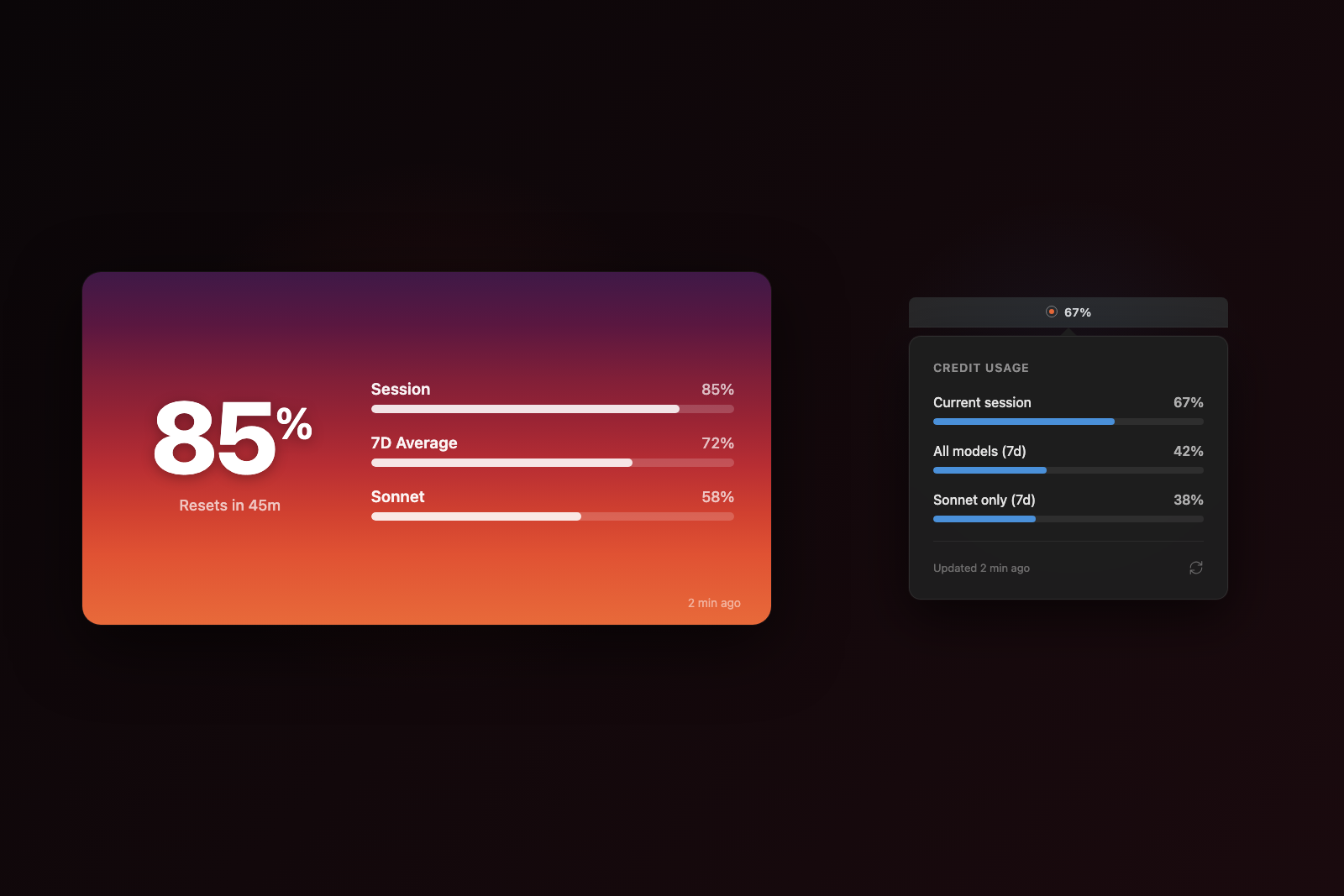
Burnrate puts that information where it belongs: on your home screen and in your menu bar. The iOS widget uses a sunset color metaphor — as usage climbs from 0% to 100%, the background shifts through 8 distinct palettes, from calm sky blues through golden hour into deep crimson. At a glance, you know exactly where you stand.
Both platforms authenticate by embedding claude.ai's own login page in a WKWebView, then injecting JavaScript to call the internal usage API with the captured session cookie. No API keys to manage, no separate auth flow — just sign in once and the data flows to your widgets automatically.
Sources: GitHub issue #41788, Anthropic pricing, Anthropic Oct 2025 disclosure
iOS Widgets
Home screen widgets in small and medium sizes. The background color palette shifts dynamically through 8 sunset tiers based on current usage — a visual burn indicator you can read from across the room.
Widget cycles through sunset tiers as usage increases
Widget cycles through sunset tiers as usage increases
macOS Menu Bar
The macOS companion lives in the menu bar as a percentage readout. Click to see a popover with all usage tiers, progress bars, and reset countdowns. Configurable poll interval, launch-at-login support, and no Dock icon footprint.
Menu bar popover showing session and 7-day usage tiers
Sunset Tier System
Eight distinct color palettes mapped to usage thresholds. Each tier has separate light and dark mode variants — the dark mode palettes are atmospheric rather than inverted, with muted deep tones that feel like actual twilight.
Usage thresholds with their corresponding color band palettes
Authentication Architecture
Rather than requiring users to generate and paste API keys, Burnrate embeds claude.ai directly in a WKWebView. After login, JavaScript bridge calls fetch usage data through the authenticated session — the same technique a browser extension would use, packaged as a native app.
WebView-based auth flow from login to widget display
Built With
Zero third-party dependencies across both platforms. Pure SwiftUI with WidgetKit for iOS and MenuBarExtra for macOS. XcodeGen for project generation. Data shared between app and widget via App Group UserDefaults.
Source: ~/Documents/Code-Projects/ai-token-usage-widget/